Aunt Linda's Maiden Name Is Not a Secret: Genealogy Data and the Passwords It Guesses
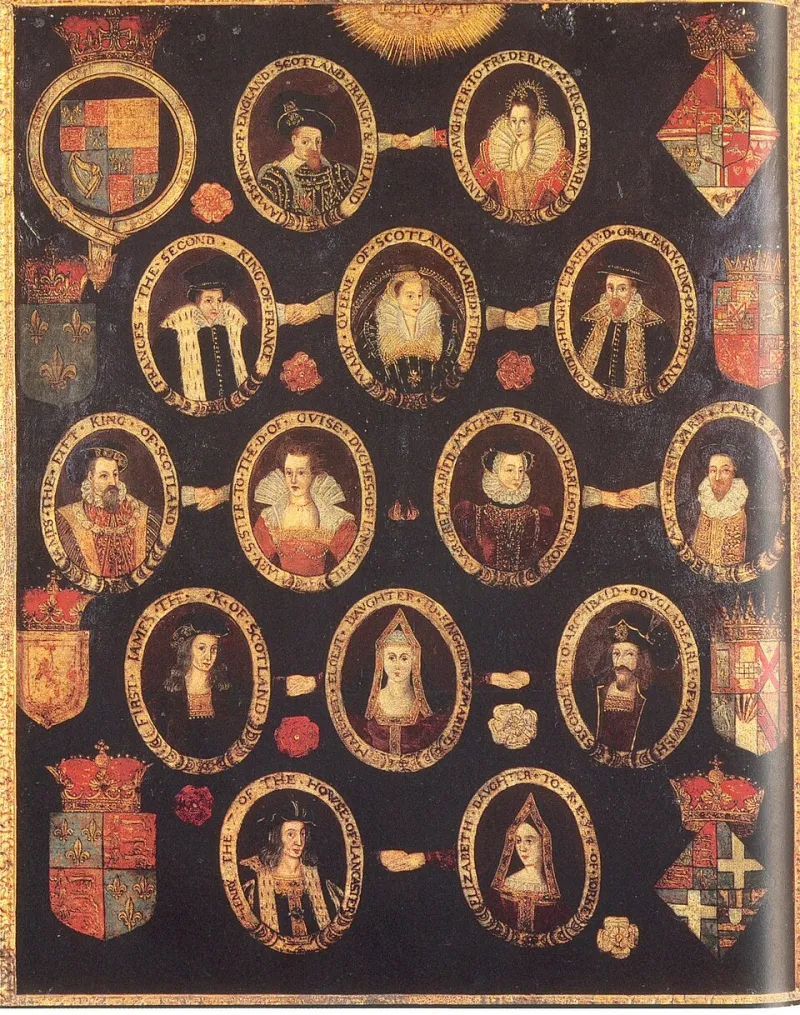
Photo: English School / Unidentified painter, Public domain, via Wikimedia Commons
Here's a fun party trick for your next security meetup: ask a friend to guess their mom's password without touching a keyboard. Odds are good they'll rattle off something like the family dog's name, a kid's birthday, or — the classic — a maiden name with a number slapped on the end.
Now here's the less fun part: a stranger can do the same thing, and they don't need to know your family at all. They just need an afternoon and a free trial on a genealogy site.
The Family Tree Is a Structured Attack Surface
Most people think of password cracking as brute force — throwing billions of random strings at a login page until something sticks. That's the movie version. The real version is boring and effective: you build a small, targeted wordlist from things the target is likely to have used, and you try those first.
And nothing on earth is as likely to end up in a password as genealogy data. Think about what a family tree actually contains:
- Surnames — including maiden names, which people treat like secret handshakes even though they're printed in wedding announcements
- Hometowns and street names — the places people grew up, which they'll swear they'll never forget (and never stop using)
- Anniversary and birth dates — the raw material for every
Linda1967-style password ever made - Pet names and children's names — lovingly documented in obituaries, christening announcements, and yes, public Facebook posts
This isn't exotic intelligence. It's all sitting in the open, indexed, and searchable. Ancestry.com, FamilySearch, Find a Grave, local newspaper archives — genealogy is one of the few hobbies where the entire point is making personal details public and permanent.
Reconstructing a Wordlist From a Birthday Post
Let's walk through how this actually plays out, from the perspective of a red teamer doing an authorized engagement. Say the target is "Greg," a mid-level manager at a company that hired us to test whether employees' personal habits leak into corporate accounts.
Step one: the Facebook birthday post. Greg's sister posts on his wall every March 14th: "Happy 54th to my big brother!! 🎂" Now we have a birth date. His wife's anniversary post from 2019 says "12 years with this guy," which backfills a wedding year.
Step two: the family tree. A quick search on a genealogy platform turns up Greg's father's obituary — obituaries are the gift that keeps giving, since they typically list surviving children, their spouses, and often hometowns. Greg's mother's maiden name appears in the marriage announcement from 1978, digitized by a county historical society.
Step three: the mashup. This is where a wordlist generator earns its keep. You don't just take the raw names — you combine them the way humans actually do. Maiden name plus birth year. Hometown plus wedding anniversary. Dog's name (from a public Instagram) plus an exclamation point, because Greg feels like an exclamation point makes it secure.
A tool like our generator takes a handful of seed values and produces thousands of permutations: capitalization variants, leetspeak swaps, year suffixes, separators. Greg's real password — the one he's used since 2011 — shows up somewhere in the first few hundred guesses.
Why Threat Actors Bother
If all of this sounds like a lot of manual work for one account, remember that attackers scale it. Credential stuffing crews don't care about Greg specifically — they care that millions of people follow the same pattern. Surname plus birth year is so common that it shows up in nearly every default wordlist already. The genealogy angle just makes the guesses better: instead of generic name-year combos, you get the specific maiden name, the specific street, the specific anniversary.
Open-source intelligence (OSINT) gathering is a standard phase of any targeted attack, and genealogy platforms are a well-known OSINT source for exactly this reason. Security researchers have demonstrated for years that a target's ancestry data can meaningfully shrink the keyspace of a personalized wordlist. The threat isn't hypothetical; it's a documented technique with tutorials attached.
The Part Where You Get Uncomfortable
Here's my challenge to you, and I mean it as more than a rhetorical flourish: build a wordlist from your own family tree and audit yourself with it.
Pull the surnames — yours, your mother's maiden name, your grandparents'. Add the dates you'd recite at a family reunion. Run them through a generator with the usual mangling rules, then check how many of the resulting passwords you've personally used. I ran this exercise on my own history and found three passwords I'd carried for over a decade sitting comfortably in the top 200 candidates.
If you're a security professional, extend this to your engagement methodology. If your report on phishing simulations doesn't mention that the CFO's password is probably recoverable from her father's obituary, you're leaving a finding on the table.
And if you're a regular person? Do two things:
- Use a password manager. A randomly generated 20-character passphrase has no maiden name in it, no anniversary, no dog. It's the only reliable fix.
- Turn on multi-factor authentication. Assume some portion of your personal history is guessable, because it is. MFA is what catches the guesses that land.
The Takeaway
We spend a lot of time on this site talking about building better wordlists — bigger ones, smarter ones, ones that follow the strange grammar of human memory. But the flip side of a good wordlist is a good defense. Every list we build to test systems is a reminder of how much of our "secret" information was never secret at all.
Your family tree is a beautiful thing. It's also a structured dataset of your most probable passwords. Treat it accordingly.